
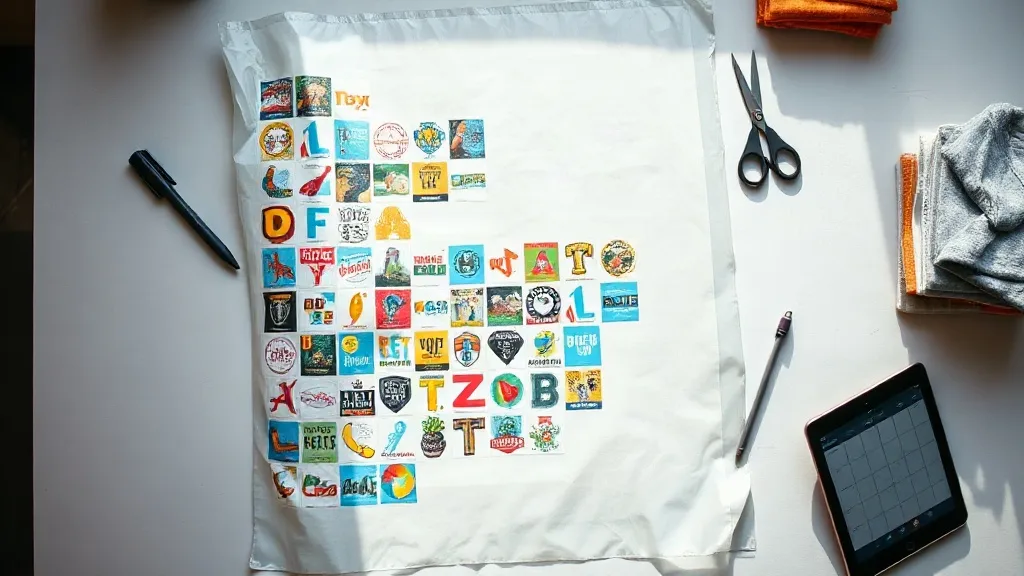
Most small apparel brands lose money on transfers long before the heat press ever gets warm. The loss happens quietly, on the film itself: a half-empty sheet, a logo floating in dead space, a handful of inches nobody paid attention to. A DTF Gangsheet solves this problem, but only if you treat it as a layout decision rather than a shopping cart click. Fill the film well and your cost per shirt drops. Fill it badly and you have simply paid for air.
This guide is about the part nobody photographs for Instagram: the planning stage. Getting it right takes twenty minutes of thinking and saves real money on every order you run.
What a Gangsheet Actually Is (and Why Layout Matters)
A gangsheet is a single sheet of DTF film carrying multiple designs, packed together so they print in one pass. Instead of running ten separate jobs, you build one file, send it once, and cut the transfers apart afterward. The printer charges for the sheet, not for the individual artwork, which means the cost per design depends almost entirely on how efficiently you use the space.
That is the whole game. A sheet that is 60 percent full costs you the same as one that is 95 percent full. The difference lands directly in your margin. Print shops that treat gangsheets casually tend to have a nagging feeling that transfers are expensive. Shops that plan them carefully often find transfers are the cheapest part of the shirt.
The Three Costs a Gangsheet Controls
- Film cost. Fixed per sheet, so unused space is pure waste.
- Powder and ink. Both scale with printed area, so tight nesting reduces consumption.
- Labor. One file, one press run, one cutting session beats ten small jobs every time.
Notice what is not on that list: design quality. A gangsheet does not make your artwork better. It makes good artwork cheaper to produce. That distinction matters, because brands often blame the transfer when the real issue was a file that wasted half the film.
Building Your First Sheet Without Wasting Film
Start with a realistic inventory of what you actually need. Not what you might need someday. Pull your last thirty days of orders and count designs by size and quantity. You will usually find that four or five designs carry most of the volume, while a long tail of one-offs eats time and space.
Step One: Group by Size, Not by Design
Small logos cluster together. Large back prints cluster together. Mixing a 3-inch chest logo with a 12-inch back print creates awkward gaps that are hard to fill. Sort your artwork by footprint first, then by color profile, and the nesting almost solves itself.
Step Two: Rotate Before You Duplicate
A rotated design can slide into a gap a straight one cannot. Many gangsheet builders let you rotate freely, and a 90-degree turn on a vertical logo often opens up two or three extra placements. This single habit typically recovers five to ten percent of usable area on a busy sheet.
Step Three: Leave Real Cutting Room
Transfers need a margin for trimming. Packing designs edge to edge looks efficient on screen and becomes a nightmare at the cutting table. A consistent gap of a few millimeters around each design keeps your trim lines clean and prevents the blade from nicking a neighbor. You lose a little area and gain a lot of speed.
Step Four: Fill the Corners Deliberately
Corners are where waste hides. Keep a short list of small, always-useful designs on hand, things like sleeve hits, pocket logos, or neck labels, and drop them into leftover corners. These become free inventory. You paid for the sheet anyway, so a corner filled with a sellable transfer is money back in your pocket.
A Realistic Example: One Sheet, One Week of Orders
Picture a small brand doing forty shirts a week across three designs. Fifty percent of volume is a front chest logo, thirty percent is a full back print, twenty percent is a sleeve mark. Laid out carelessly, that is three sheets with visible dead space. Laid out with intent, it is one and a half sheets, with the leftover half filled by sleeve marks and a couple of test designs for the next drop.
The savings are not dramatic on a single order. Over a quarter, they are the difference between a side hustle that funds itself and one that quietly drains a savings account. That is the honest case for planning your DTF Gangsheet properly: not glamorous, just arithmetic that works in your favor.
Mistakes That Quietly Eat Your Margin
- Ordering one design at a time. You pay full sheet price for a fraction of the film.
- Ignoring resolution. A stretched 72 dpi logo prints soft, and soft prints get returned.
- No color profile check. RGB artwork can shift noticeably on film, especially deep reds and bright greens.
- Forgetting the size chart. A design that fits a medium chest may not fit an XXL without scaling, and scaling changes your nesting.
- Reusing old sheets blindly. A sheet built for last season's drop may not match this season's mix.
Version Your Files
Save each gangsheet with a date and a short description, something like march-drop-front-logos. Six weeks later, when a design sells out and you need twenty more, you will not rebuild the file from scratch. You will open the version, duplicate the design, and adjust. This one habit saves hours over a year and prevents small inconsistencies that customers notice more than you would expect.
Working With a Supplier Without Friction
The best gangsheet file in the world still depends on a supplier who prints it cleanly. Before you commit volume to any vendor, order a small test sheet with a mix of fine detail, solid fills, and light colors. Check the edges, check the white layer, and wash one transfer five times. A supplier who passes that test is worth keeping. One who does not will cost you more in remakes than any layout trick can recover.
Ask about turnaround too. A gangsheet that arrives late has a hidden cost: rushed pressing, skipped quality checks, and orders that ship a day behind. Cheap film is not cheap if it delays a launch.
Frequently Asked Questions
How full should a DTF gangsheet be before I order it?
Aim for at least 80 percent usable coverage, and treat 90 percent as a good day. Below 70 percent, you are usually better off waiting a day or two and combining orders so the sheet fills properly.
Can I mix different designs and sizes on one sheet?
Yes, and you should. Mixing sizes is one of the fastest ways to fill gaps. Just group similar footprints near each other so the leftovers stay large enough to be useful.
How long can I store unused transfers?
Stored flat, cool, and dry, most transfers keep well for several months. Keep them out of direct sun and away from heat, and label each batch so you know which sheet it came from.
Does a fuller sheet affect print quality?
Not if the file is built correctly. Quality depends on resolution, color handling, and the printer's maintenance, not on how many designs share the film. A dense sheet printed well looks identical to a sparse one.
Is it worth building gangsheets if I only sell a few shirts a week?
Especially then. Small volume is where waste hurts most, because you feel every wasted inch. Batch a week or two of orders into one sheet and your cost per shirt improves immediately.